
How Revenge of the Savage Planet Crossplay Actually Works, Why It Breaks, and How We Fixed It
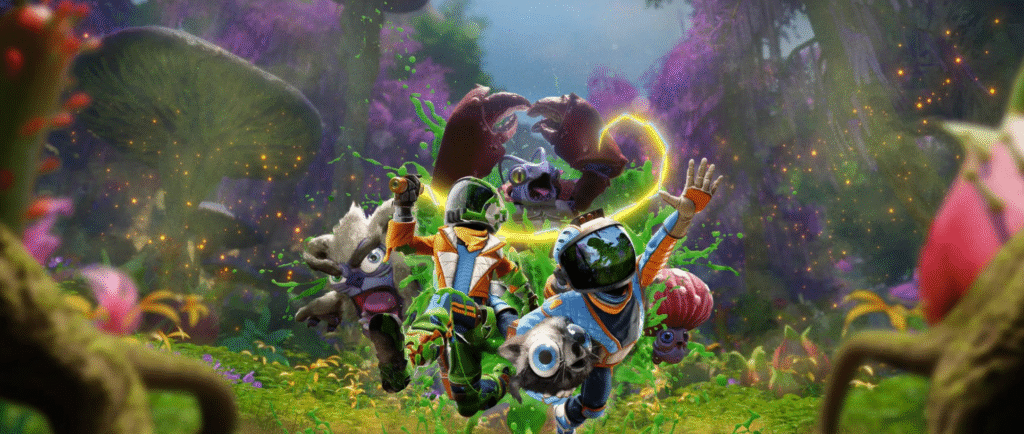
Friday night co-op plans gone sideways, two screens glowing, party chat up, invites sent and nothing. If you’ve ever cursed at an invite that vanishes or watched “join failed” while your partner stares blankly on Game Pass, you’re not alone. In this guide I’ll walk you through Revenge of the Savage Planet crossplay the way I actually use it, the setup that works, the cloud/installation quirks that break it, and quick fixes that saved me an hour of troubleshooting (so you don’t have to lose yours). Read on and we’ll get you playing together, not yelling at menus.
Is Revenge of the Savage Planet Crossplay?
Short answer, yes, Revenge of the Savage Planet supports crossplay but only if you understand what the game means by “crossplay,” not what most of us assume it means from other games.
Here’s the disconnect I ran into, people expect crossplay to behave like Sea of Thieves or Valheim. Platform friends list, one-click invite, done. That’s not how this game rolls. Cross-platform play here runs through Epic Online Services, not Xbox Live, not PlayStation Network, and not Steam friends. If Epic isn’t happy, nothing else matters.
What crossplay actually supports
Based on my own testing and a lot of community confirmation
PC (Steam) ↔ Xbox Series X|S – Supported
PC (Game Pass) ↔ Xbox Series X|S – Supported, but fragile
PC ↔ PS5 – Supported
Xbox ↔ PS5 – Supported
PS4 – Technically supported, but with more friction and performance limits
That answers the common questions like “Can you crossplay with Xbox and PC?” and “Can you play together cross platform?” yes, you can, assuming both copies are online-capable and properly authenticated through Epic.
What crossplay does not mean here
No cross-save between Xbox and PC (even on Game Pass)
No shared progression for the non-host in online co-op
Cloud gaming is unreliable for co-op and sometimes blocks it entirely
Xbox or PlayStation system invites don’t work for crossplay
I learned this the hard way. I joined a friend’s game, played for two solid hours, logged off feeling good… and my save hadn’t moved an inch. Only the host keeps progress. That’s not a bug; that’s the design.
Why people think it’s broken
Most “crossplay is broken” posts aren’t wrong they’re just missing one piece of the puzzle. The game never clearly explains that Epic Friends are the real gatekeeper. If your Epic account doesn’t log in cleanly, you’ll see stuff like.
Friends appearing online in Fortnite but not in Savage Planet
Invites sending with no pop-up
“Join failed” with zero explanation
So yes, Revenge of the Savage Planet crossplay exists. It works. I’ve used it. But it asks more of you than most games, and the menus don’t hold your hand.
How Crossplay Works Under the Hood (Epic Online Services, Explained Like a Human)
Let me explain this the same way I explained it to my friend after we spent forty minutes yelling “send it again” into voice chat. Revenge of the Savage Planet does not care who you are friends with on Xbox, PlayStation, or Steam. The game only cares about one thing: whether both players are authenticated and visible inside Epic Online Services at the exact moment an invite is sent.
Think of Epic as the bouncer. Xbox Live and PlayStation Network can vouch for you all they want, but if Epic doesn’t recognize you as being in the building, you’re not getting into the party.
Here’s what’s actually happening when crossplay works. When the game launches, it attempts to sign your platform account into Epic Online Services in the background. If that handshake succeeds, the game silently unlocks online co-op features.
If it fails, nothing crashes, nothing pops up, and the menus still look normal. You just never receive or accept invites. That silence is why so many players think crossplay is “completely broken.”
I saw this myself on PC Game Pass. My friend appeared online in Epic because she was playing Fortnite earlier. I appeared online because Savage Planet logged me in correctly. The game assumed everything was fine. It wasn’t. Her Xbox never finished the Epic login step, so from my side I could send invites forever and they would vanish into the void.
This also explains a bunch of weird community fixes that sound fake but actually work. Launching Fortnite first can refresh Epic tokens. Installing the game instead of cloud streaming can force a fresh Epic authentication. Restarting the game after finishing the tutorial can finally trigger the Epic login that didn’t happen on first boot. None of these feel logical unless you understand that Epic is the gatekeeper.
Another important detail most guides skip is where invites appear. The invite does not always show up as a pop-up. Often it appears as a new menu option on the main screen. If both players are sitting inside the Start Game menu, the invite never surfaces.
One person has to stay on the main menu, watching for that extra “online co-op” option to appear like a shy NPC.
I still remember saying out loud, “Wait… don’t click anything… hold on… there it is.” That was the moment it finally clicked for me. Nothing was broken. The game just expected us to know rules it never explained.
Now that you understand how crossplay actually functions behind the scenes, the next section is where things get practical. I’ll walk you through the exact setup steps I use now, in the correct order, so you can get online co-op working without guessing or ritual sacrifices.
Step-by-Step – How to Set Up Crossplay
I was looking for the similar fixes when the first night I tried co-op, and trust me I wrote this all because I couldn’t find such. Treat this like a recipe. Order matters. Timing matters. If you skip a step or rush a menu, the game acts like crossplay never existed.
I’m going to assume both players already own the game, have an internet connection, and are not using cheats, mods, or VPNs. This setup uses Epic Online Services by design.
Link Epic Accounts Properly (Step 1)
Before launching the game, both players must have their platform account linked to Epic.
On PC or console, open a browser, log into Epic Games, then check account connections. You should see Xbox, PlayStation, or Steam listed and confirmed. If it only says “available” or “pending,” stop here and fix that first.
If one player appears online in Epic while playing Fortnite but not in Savage Planet, that’s a red flag. It means Epic authentication is not completed inside the game yet.
Add Each Other as Epic Friends (Step 2)
Do not rely on Xbox friends, PlayStation friends, or Steam friends. Both players must be friends inside Epic itself. You can do this on PC using the Epic launcher. Console-only players can do it through a mobile Epic app or even Rocket League Sideswipe if needed.
Once added, confirm both accounts show online in Epic.
Launch the Game the Right Way (Step 3)
If you are on Xbox and using cloud gaming, stop. Install the game locally. Cloud versions frequently fail to connect to online services and block crossplay entirely.
Now launch the game normally. If this is your first time, play through the opening tutorial until you reach the main menu. Several players confirmed that crossplay does not activate before this point.
Decide Who Hosts (Step 4)
Pick one person as the host. This matters because only the host keeps progression.
The host selects Online Co-Op but does not start a session yet.
The other player stays on the main menu. Not the Start Game screen. Not options. The main menu.
This is where most people mess up.
I literally said to my friend, “Don’t touch anything yet. Just wait.”
Send the Invite Through Epic Inside the Game (Step 5)
The host opens the Epic Friends list inside the game and sends the invite.
If everything worked, the non-host will see a new option appear on the main menu. It often says something like Online Co-Op or Crossplay Invite. It does not always pop up as a notification.
When you see it, select it immediately.
That’s the moment you know it worked.
Platform Notes
On Steam PC, this process is the most stable. On PC Game Pass, restarting the game after linking Epic often helps. On Xbox Series X or S, appearing online and using an installed copy is critical. On PS5, the flow is the same but menu delays are slightly longer, so wait a few seconds before assuming it failed.
Why Crossplay Fails And How To Fix
When crossplay fails in Revenge of the Savage Planet, it usually fails in the same handful of ways. The game rarely tells you what went wrong. It just quietly refuses to connect, which makes it feel random when it really isn’t.
I’ve run into every issue below at least once. None of them are skill problems. None of them mean you set things up wrong. They are friction points baked into how the game handles online play.
Game Pass Cloud vs Installed
If you are playing through cloud streaming on Xbox or PC Game Pass, crossplay may never activate. The game often fails to connect to online services properly when streamed. Menus load, single player works, but online features stay locked or half-active.
The fix is boring but effective. Install the game locally. Once installed, launch it again and let it sit at the main menu for a few seconds. In multiple cases, that alone caused online co-op to suddenly appear where it never did before. Cloud play is fine for testing the game. It is unreliable for co-op.
Appearing Offline on Xbox
This one hurts because it feels unrelated. If either Xbox player is appearing offline, invites can fail silently. No warning. No error. Just nothing.
What’s tricky is that this can still work if the offline player is hosting, which leads people to think online status does not matter. It does. If you are trying to join someone else, appearing offline can block the connection completely. Switch to appearing online, restart the game, then try again from the main menu.
Version Mismatch Myths
You may notice version numbers look different between PC and console, especially on Game Pass. This looks scary, but in most cases it is not the actual issue. Crossplay does not require identical storefront builds as long as both versions are current.
What does matter is that both players fully restart the game after updates. Quick Resume on Xbox can leave you running an outdated session even after a patch. Closing the game fully and relaunching has fixed more “nothing happens” invites than I can count.
Epic Login Succeeds but the Game Doesn’t
This is the most confusing failure. Epic shows you as online. Your friend shows as online. Invites send. Nothing happens.
In these cases, the game itself never completed its Epic login handshake. You can force a refresh by restarting the game, launching another Epic-connected game first, or completing the tutorial and returning to the main menu. In rare cases, creating a brand-new save instead of using an existing one immediately triggers the connection.
If crossplay feels inconsistent, it usually means the authentication state is inconsistent. Once it locks in, it tends to stay stable for that session.
PC, Xbox, and PlayStation Differences
Crossplay technically connects platforms, but the experience changes depending on where you play. Ignoring those differences leads to frustration, mismatched expectations, and a lot of “why does this feel worse on my end” conversations.
On PC, especially Steam, the game runs the smoothest. Frame rates scale higher, menus respond faster, and Epic authentication tends to be more reliable. Mouse and keyboard give you faster target snapping and better control in vertical combat, which matters more than you expect once enemies start hopping and flying. If you like precise aiming and quick flicks, PC feels good almost immediately.
On Xbox Series X and Series S, performance is stable but capped. Combat feels fine on controller, but aiming has a heavier, floatier feel. That is not a criticism, just a reality. The bigger issue is system behavior. Quick Resume can quietly break online sessions. If invites stop working after a suspend or resume, fully close the game and relaunch it. Many players think crossplay broke mid-session when it was actually Quick Resume keeping an old network state alive.
On PS5, crossplay works similarly to Xbox, but menus sometimes lag slightly when invites arrive. If you do not see the option immediately, wait a few seconds. Do not back out too fast. Another common confusion here is pricing. The more expensive edition is not required for crossplay. It adds cosmetic content, not multiplayer features.
On PS4, expectations need to be realistic. Crossplay can work, but performance limits are noticeable and loading times are longer. If you are pairing a PS4 player with a PC player running high frame rates, combat pacing will feel uneven. It still works, but patience matters more.
No matter the platform, controller players should increase look sensitivity slightly and disable heavy aim smoothing if available. Small tweaks reduce the feeling of fighting the camera instead of the aliens.
Local Co-Op vs Online Co-Op
Revenge of the Savage Planet Crossplay supports both local co-op and online co-op, but they behave very differently and are not interchangeable.
Local co-op is split-screen and only works when the game is installed locally on a console. Both controllers must connect to the same system. Cloud gaming does not support this properly. If you are streaming the game and trying to add a second controller, it will fail or freeze at the screen selection stage. That is not a bug. Cloud sessions only register one input stream.
Online co-op uses Epic Online Services and works across platforms. This is the only way to play together on separate screens or across PC and console. It requires separate copies of the game and proper Epic authentication.
Many players get stuck because they assume cloud gaming plus a second controller equals couch co-op. It does not here. If local co-op is your goal, install the game on the console. If crossplay is your goal, avoid cloud gaming entirely.
Once you separate those two modes mentally, a lot of confusion disappears.
Crossplay Progression, Saves, and the Only Host Saves Problem
Part that hurts the most if you learn it late.
There is no cross-save between Xbox and PC, even if both use Game Pass. Each platform keeps its own save files. Progress does not sync. Starting on one does not carry over to the other.
In online co-op, only the host keeps progression. The joining player keeps gear unlocked for that session but does not advance story progress in their own save. When they return to solo play, they resume where they left off before joining.
I have seen people lose entire evenings to this misunderstanding. They thought they were advancing together, only to realize later that one person would need to replay everything.
The safest way to play co-op is to decide early who hosts long-term. Treat that save as the shared campaign. If you switch hosts often, accept that progress will fragment.
It is not ideal, but knowing it upfront prevents regret.
Troubleshooting Checklist (Run This Before You Rage-Quit)
If invites fail or nothing happens, walk through this calmly.
Confirm both players are appearing online.
Confirm the game is installed locally, not streamed.
Confirm Epic accounts are linked and visible.
Restart the game fully, not from suspend.
Have the non-host wait on the main menu.
Send the invite through the in-game Epic friends list.
If it still fails, restart once more and try again before changing anything else.
Most fixes happen within those steps.
Fair Play, Mods, and What Not to Do
Crossplay depends on stable online authentication. Mods, unofficial tweaks, and network-altering tools can quietly block that process. Even visual-only mods can interfere if they change how the game initializes online services.
VPNs can also cause silent failures. If invites never land and everything else checks out, disable the VPN temporarily and test again.
Stick to supported features. If you encounter abusive behavior in co-op, use the platform reporting tools. Blocking a player at the Epic account level prevents future invites cleanly.
FAQs
Can you crossplay with Xbox and PC?
Yes, as long as both players connect through Epic Online Services and avoid cloud gaming.
Can you crossplay between PC and PS4?
Yes, though performance differences are noticeable and patience helps.
Is Revenge of the Savage Planet local co-op?
Yes, split-screen on a single console with a local install.
Can you play together cross platform?
Yes, online co-op supports cross-platform play when set up correctly.
Conclusion
Crossplay in Revenge of the Savage Planet works, but it asks you to play by rules it never explains. Once you understand those rules, it stops feeling broken and starts feeling predictable. You are not missing a button or doing something wrong. The system just expects you to already know how it thinks.